OVERVIEW
Streamlining project planning for SAP partners.
MY ROLE
UX Designer
TIMEFRAME
2022-2023
LOCATION
Vancouver
CONTEXT
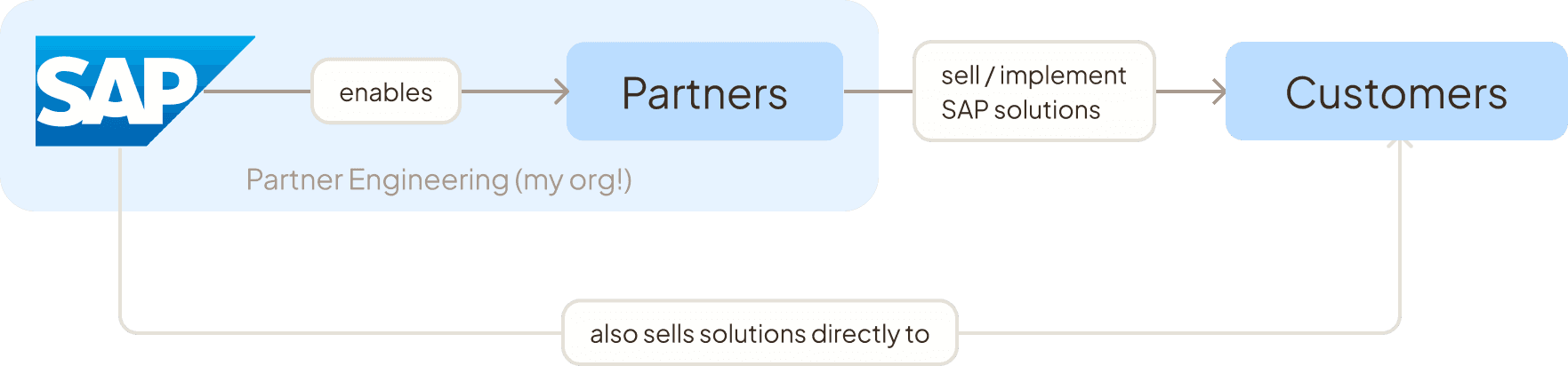
SAP Partners are the middleman between SAP and its customers.
Although SAP sells solutions directly to customers, Partners are also able to provide tailored solutions to end customers by selling, hosting, implementing, or building SAP software to end customers.
My org, Partner Engineering, sat at the heart of this B2B2B relationship, building software to enable SAP Partners in their deals and projects with end customers.
SAP for Me sets Partners up for customer success.
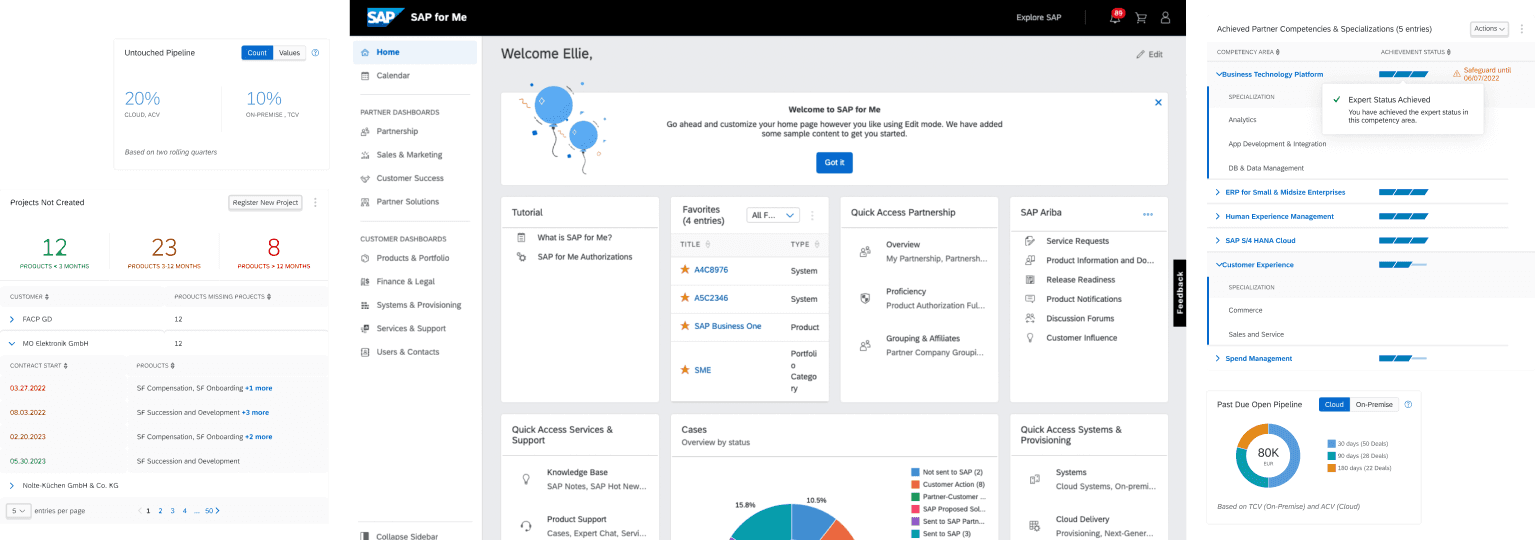
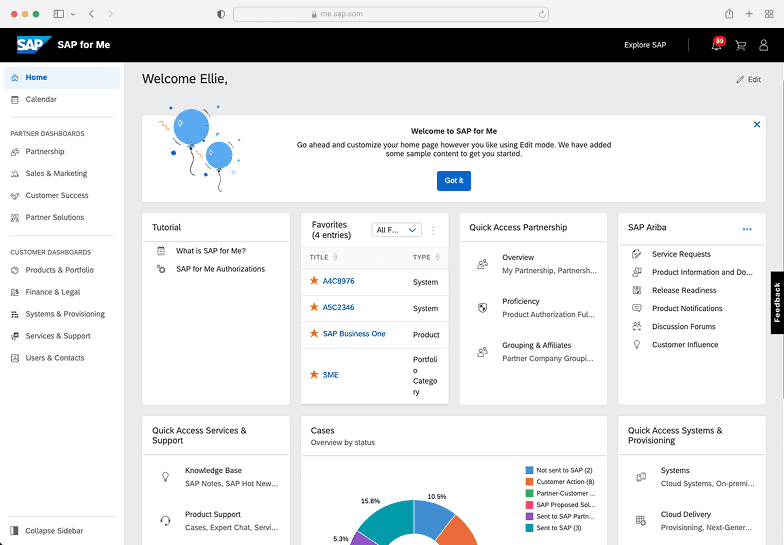
SAP for Me (S4M) aggregates a Partner or Customer’s SAP portfolio into one platform. Throughout my time at SAP, I designed several new features for the platform, leading to a 10% increase in user satisfaction rate.
🔍
This case study focuses on the Customer Cloud Project Registration feature I designed while on the S4M team.
Project go-lives are a key indicator of customer success.
When a project between a Customer and a Partner goes live, it’s indicative of a successful relationship between a Customer and a Partner. This is reflected in whether or not a Customer chooses to renew their contracts with said partner, leading to more projects and more revenue down the road.
The renewal rates speak for themselves:
of Customers with live projects renew their contracts
of Customers with planned projects renew their contracts
of Customers without any planned projects renew their contracts
Project registration: creating the path to project go-lives
When a Partner registers a project, it informs their SAP representatives of the planned deal between Partner and Customer. By registering a project, they allow all involved parties have the insights they need to ensure successful projects within the SAP for Me platform.
👀
TL;DR: Registering a project keeps Partners and their SAP representatives in the loop, leading to more successful project outcomes.
PROBLEM
But the current project registration process...

… was done via email.
Project registration was a pretty lengthy process that was being done mostly via back-and-forth email between the Partner and the SAP representative. This was a frequent pain point for Partners as even the smallest of changes would require an email.
❓
So, how might we reduce manual effort and integrate project registration in-platform for SAP Partners?
KEY DESIGN DECISIONS
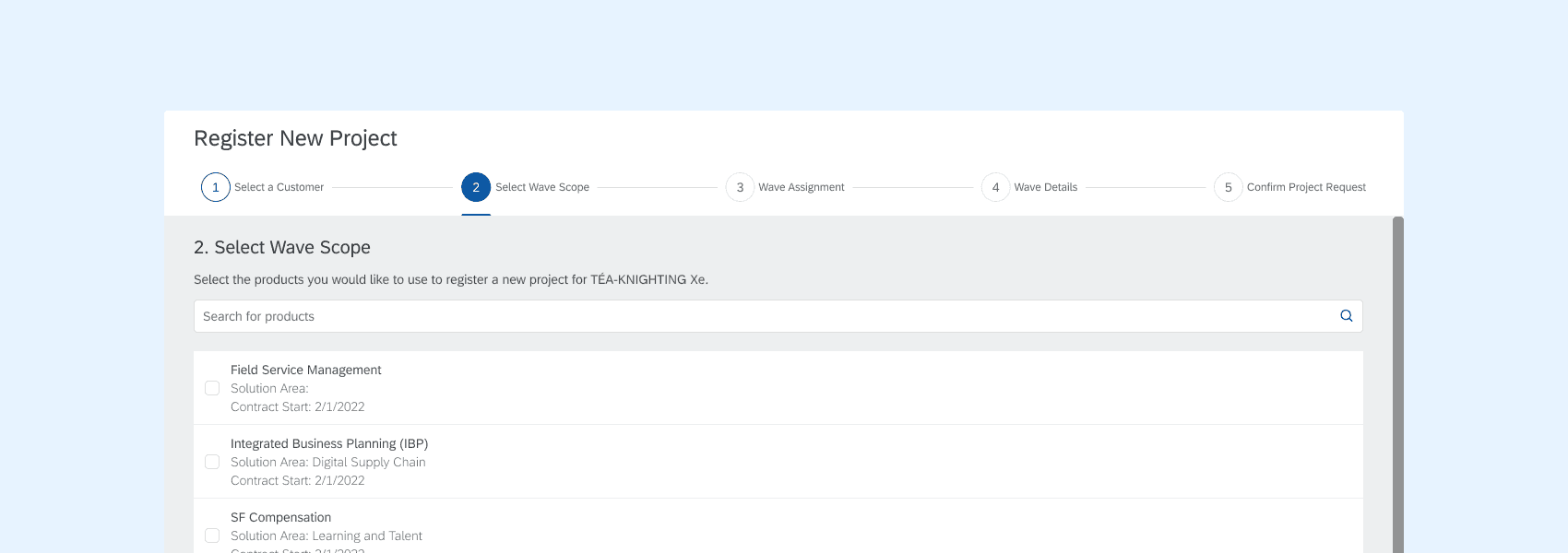
Using a wizard to break down a complex process
A guided wizard walks partners through each decision in sequence, with conditional logic based on earlier choices. Breaking the process into discrete steps made a previously difficult workflow transparent and self-serve for the first time.
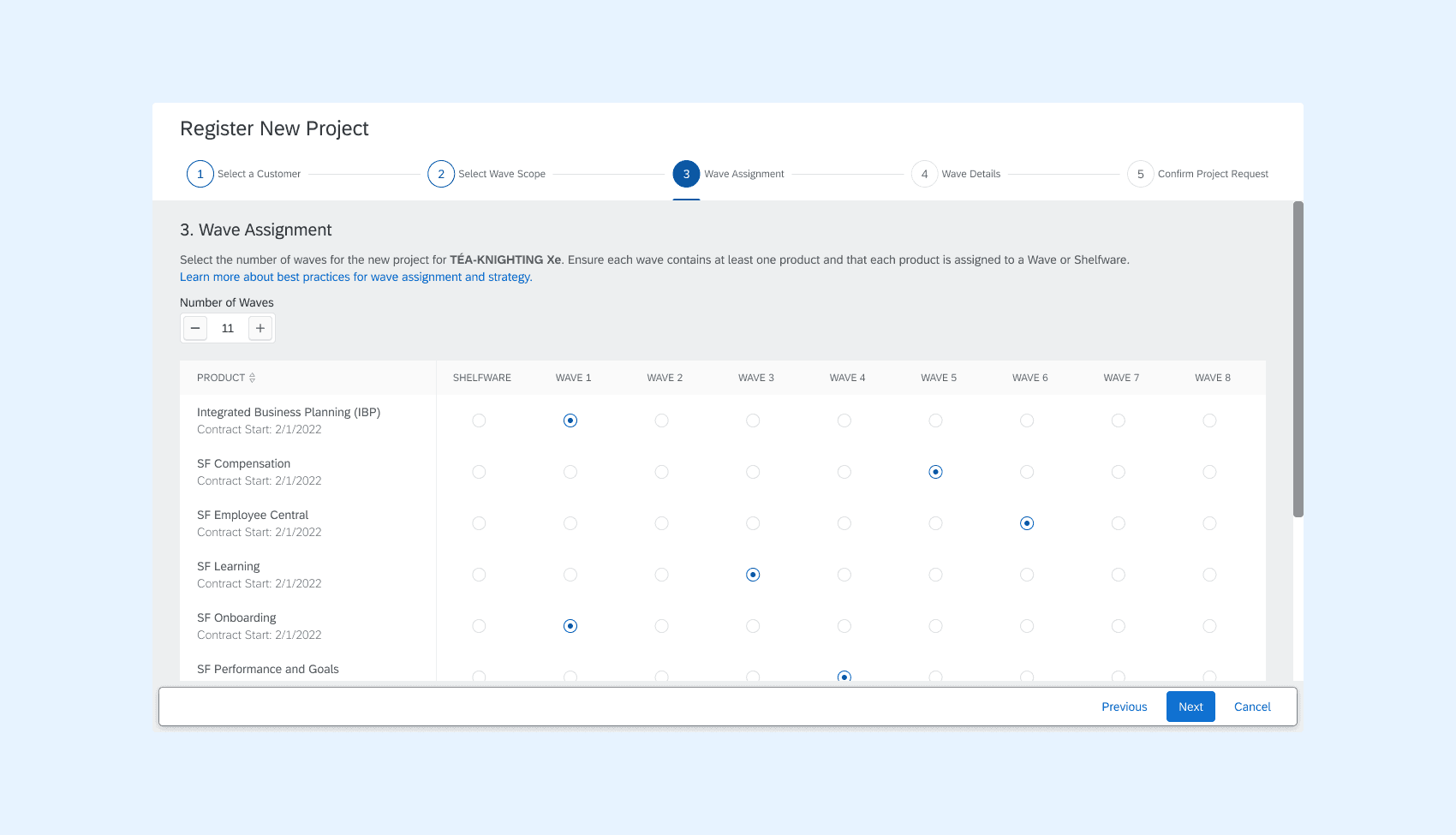
A radio button matrix affords flexibility, while enforcing scheduling constraints
Partners needed to schedule their project into a variable number of stages or “waves”, each containing multiple products, but with no product appearing in more than one wave. A radio button matrix fit naturally: rows for products, columns for waves, and a selection model that made the constraint intuitive rather than something users had to remember.
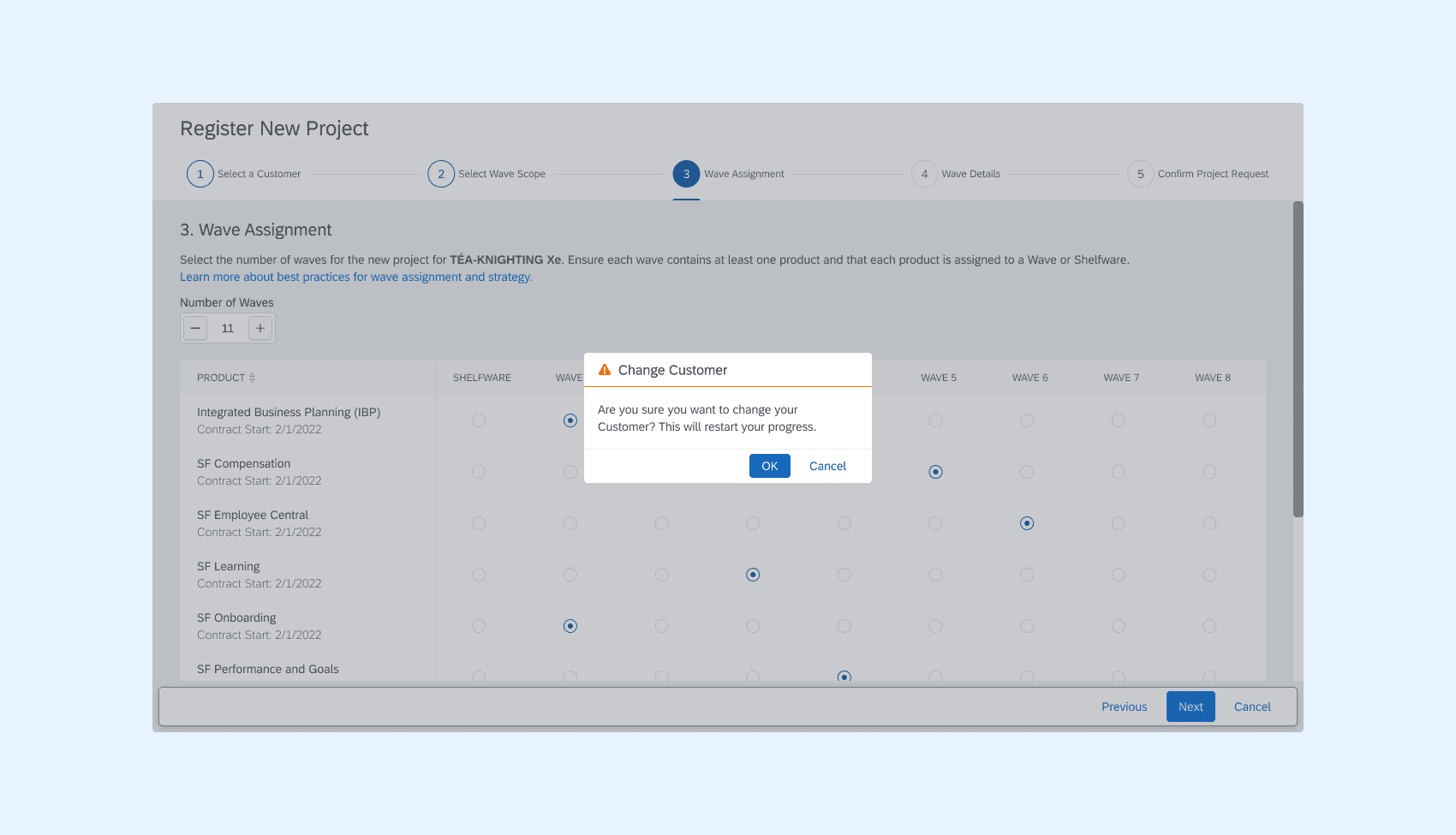
Accounting for backtracking and edge cases
When Partners change data in earlier steps, it affects the data in future steps. (Ex. changing the selected Customer for the project in Step 1 affects what products are selected in Step 2). We mapped these cases out with corresponding warning messages.
OUTCOMES
The on-platform project registration workflow automated 75% of the manual project registration process.
By replacing an email-based process with a structured, self-serve workflow, partners could register projects faster and with fewer errors. Reducing the manual overhead on both sides freed up SAP reps to focus on higher-value work, laying the groundwork for improved customer renewal rates.